Microsoft Planner and Microsoft Project Professional offer a streamlined, collaborative way to manage schedules and tasks across teams, making project coordination more intuitive and efficient. With Planners visual task boards, built-in deadlines, and progress tracking, Planner helps users stay organized and aligned—whether you’re overseeing a complex migration or juggling daily operations. For Project Professional you get the robust scheduling engine used for years by Project Managers everywhere.
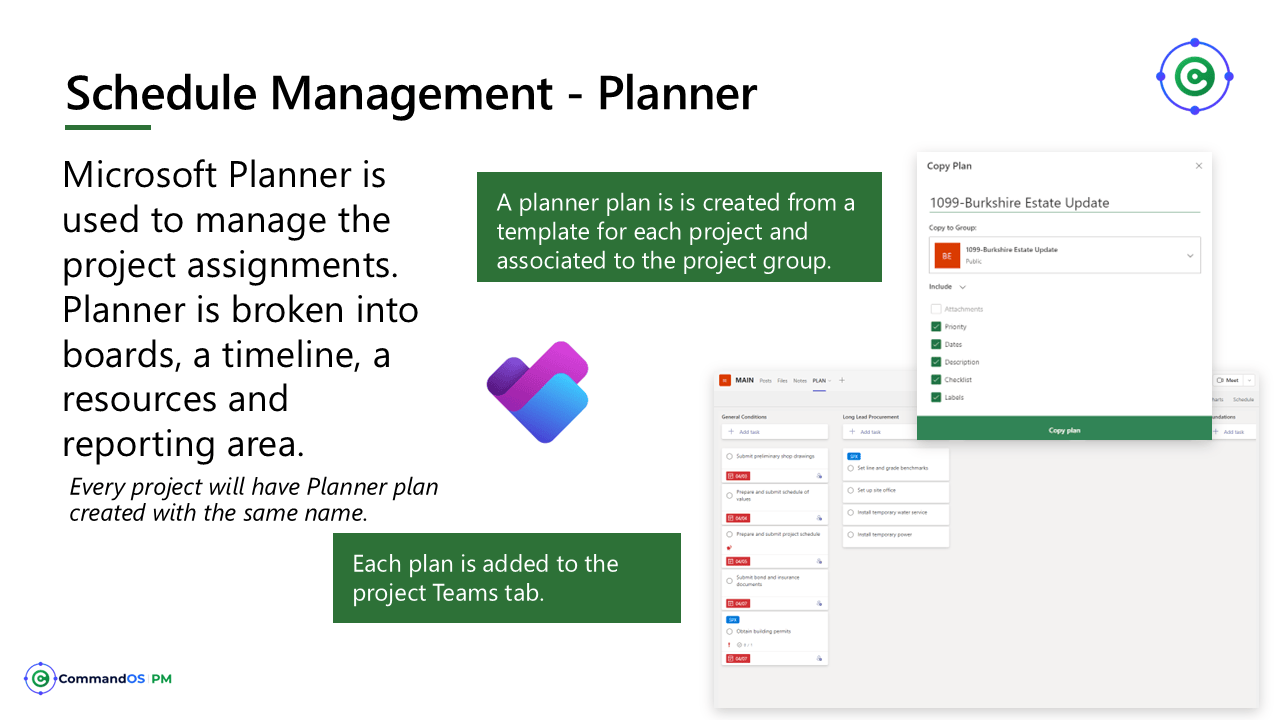
Every approved project has a dedicated schedule Planner Plan. Microsoft Planner offers a streamlined, collaborative way to manage schedules and tasks across teams, making project coordination more intuitive and efficient. With its visual task boards, built-in deadlines, and progress tracking, Planner helps users stay organized and aligned—whether you’re overseeing a complex migration or juggling daily operations.
Schedule Management - Planner
Microsoft Planner is used to manage the project assignments. Planner is broken into boards, a timeline, a resources and reporting area.
Every project will have Planner plan created with the same name.
Schedule Management – Assign the Project Manager Agent (PMA)
The Project Manager Agent integrated with Microsoft Planner streamlines task coordination, stakeholder alignment, and governance across enterprise projects.
Combined with branded templates and Power Platform integration, it empowers teams to deliver scalable, repeatable outcomes with clarity and speed.
Schedule Management – Project Professional
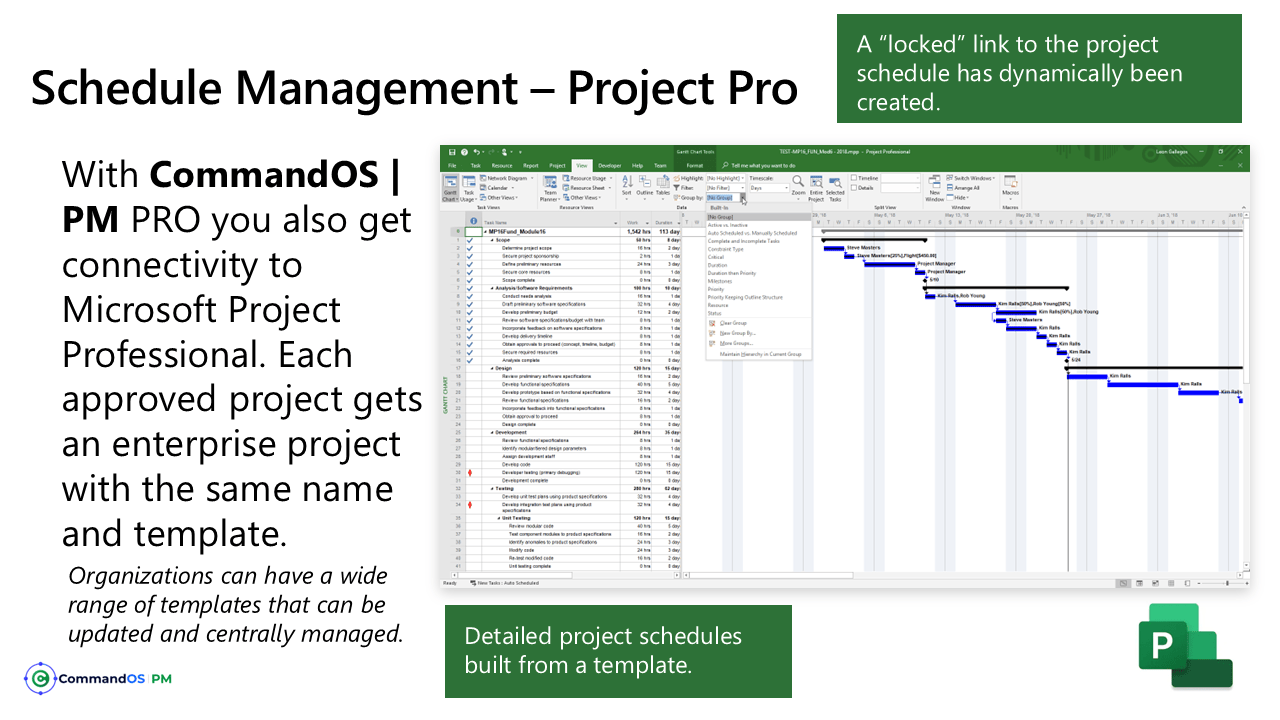
Project Professional can also be used as the scheduling engine behind the CommandOS | PM.
Continue to use Microsoft Project Professional to build and manage schedules.
contact us
Contact us with your questions
We would love to discuss your specific requirements and how we can help.